
Roobet app: mobile version for Android and iOS 2026
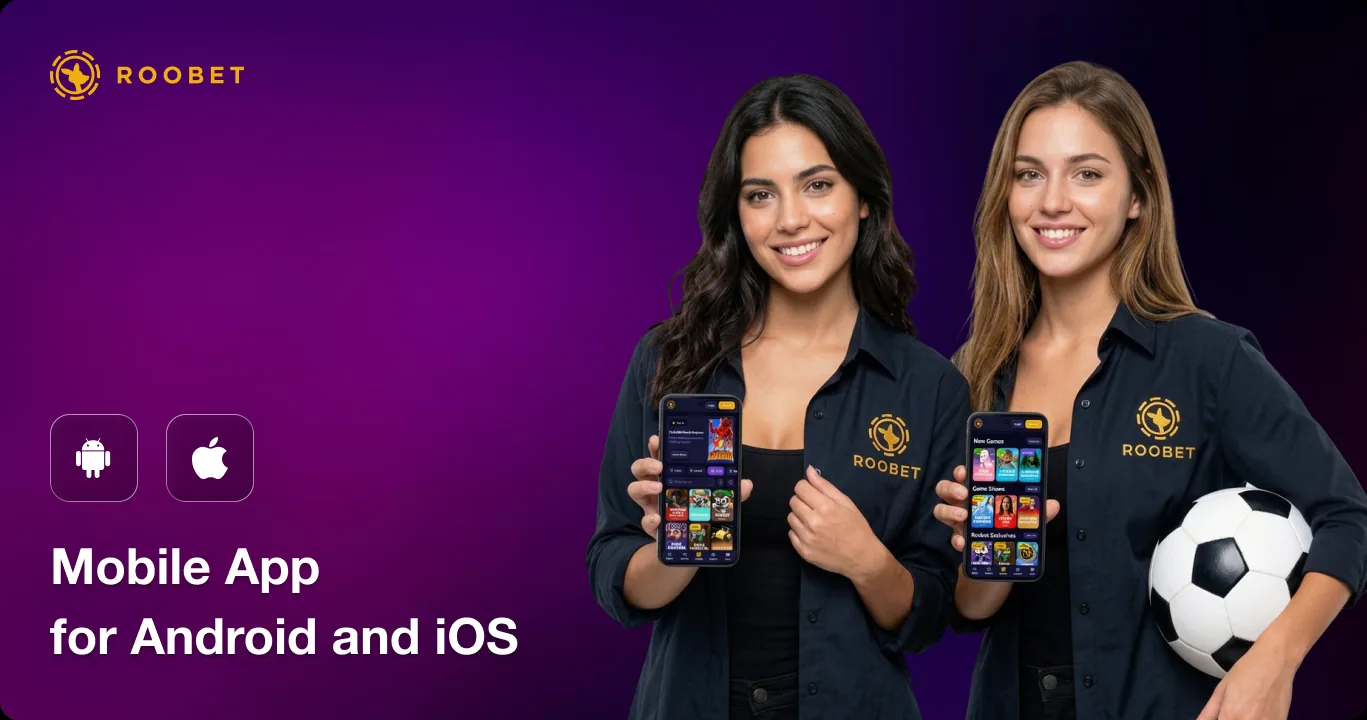
Our mobile site runs in your browser, so you don't need to download anything from an app store. Its layout adapts to any screen, so you reach the 6,500+ casino games just like on the desktop version. If your device has Android 8.0 or higher, or iOS 13.0 and up, you can open both the casino and sports betting. At Roobet we accept deposits in BTC, ETH, LTC, USDT, XRP and DOGE, and you can also add funds with Visa or Mastercard cards. When you sign up, you get up to 20% cashback on net losses during the first seven days, capped at 200 USD.
In this article
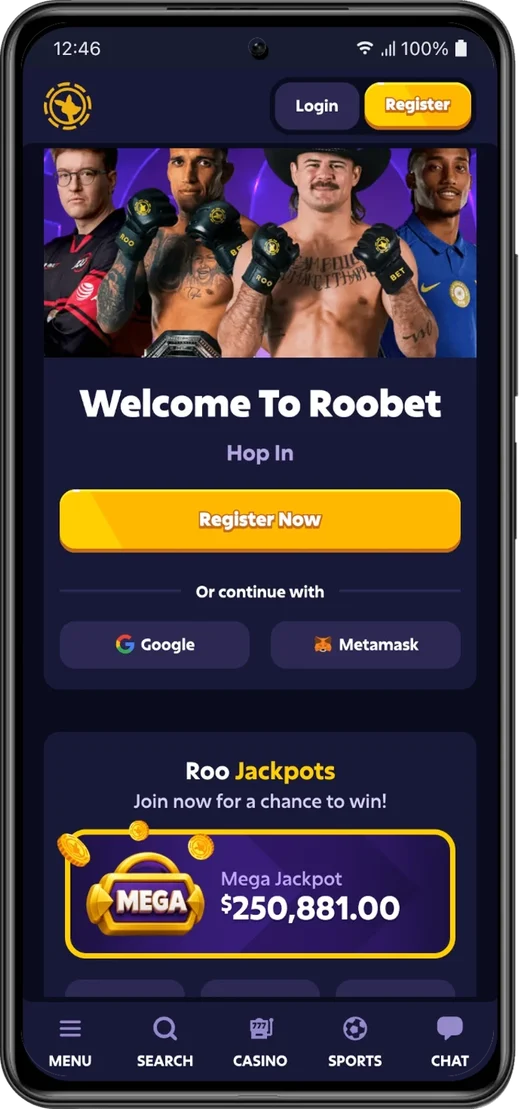
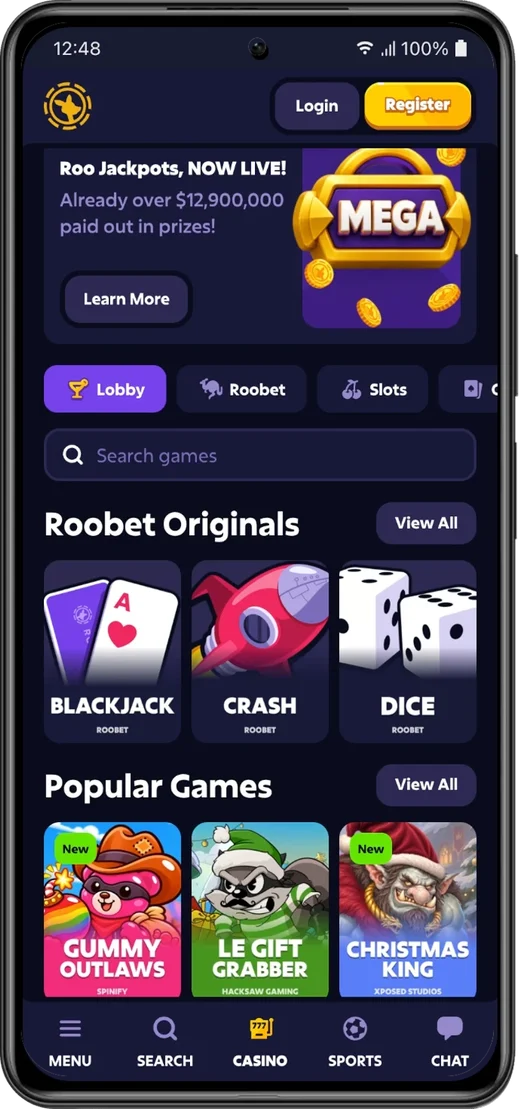
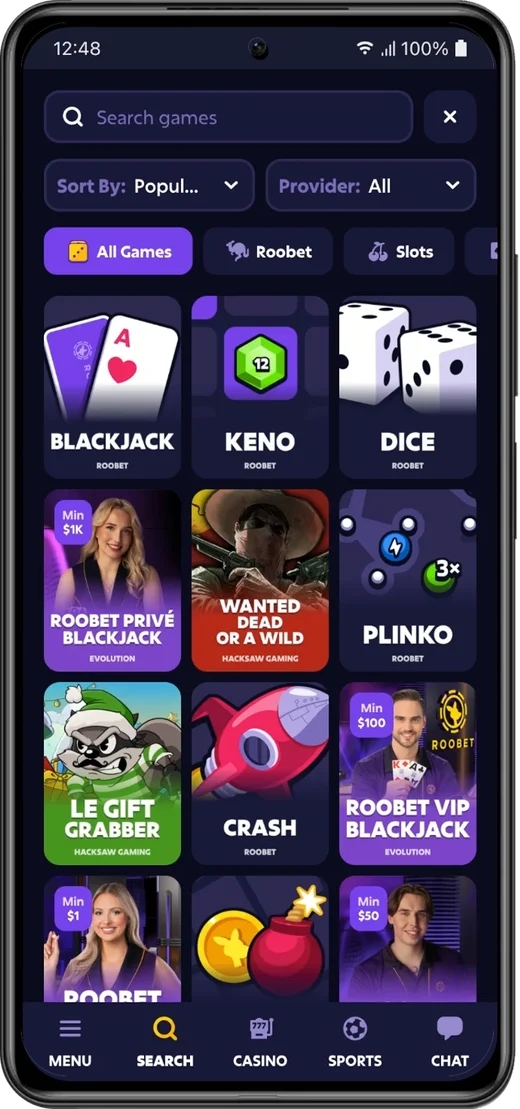
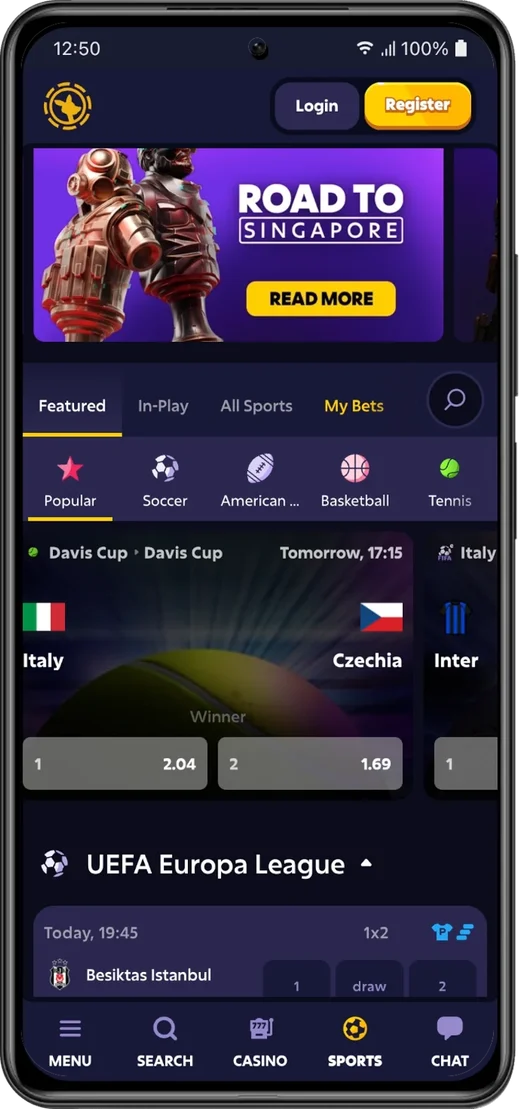
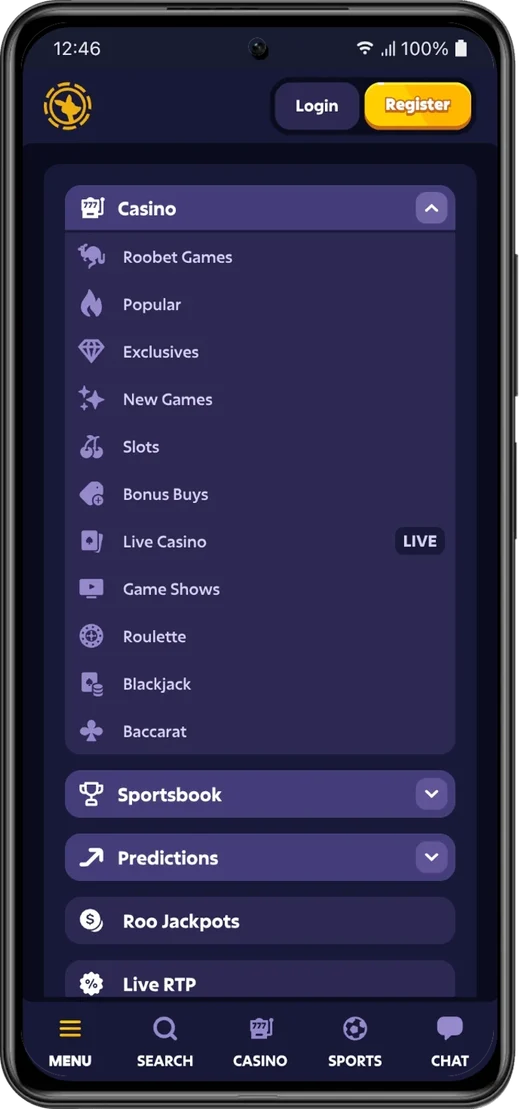
Screenshots of the mobile version
The Roobet mobile site works on devices with Android 8.0 and iOS 13.0 or later versions. The images show the layout of the different sections, how to move around the menu and how to make a deposit from the cashier. Everything looks and behaves the same as in the desktop browser, except that the screen is rearranged so you can reach it with your thumb.
Key facts about the app in 2026
The Roobet app is our mobile site: it needs no download, adapts to any current browser, is free to open and works on the main mobile operating systems available in 2026. There is no native app on Google Play or the App Store, which is why you won't find a Roobet download with an installation file on our site.
| Specification | Detail |
|---|---|
| Cost | Free |
| Installation | No installation file needed |
| Available languages | English, Spanish and other languages |
| Supported operating systems | Android 8.0+ and iOS 13.0+ |
| Browser | Any current mobile browser |
| Access type | Web browser and shortcut from the home screen |
Using the mobile version on screen
When you open the site from your phone's browser, we arrange the sections in a navigation bar at the bottom of the screen. From this bar you reach the casino, sports betting and games. Your balance is shown in the top right corner, next to the deposit button. The games, bonuses and live casino sections appear in the middle of the screen. In the Roobet mobile version, the buttons to deposit, withdraw and contact support are in the side menu, which opens when you tap the three-line icon.
How to install Roobet on Android step by step
Our mobile version opens from your device's browser, so you don't need to install an external apk file. You can add a shortcut to your home screen in a few steps. If any site offers you a Roobet apk to download, it doesn't come from us and you should avoid it.
- Open the browser on your Android 8.0 or a newer version.
- Type the Roobet address in the browser bar and open the site.
- Tap the browser's options menu, the three vertical dots.
- Select the “Add to home screen” option.
- Check the shortcut name and tap “Add”.
- Open the site from that shortcut. You don't need to use any files.
Technical requirements for Android: quick sheet
Open our site using the browser on your Android phone. The requirements are few: an updated system, a recent browser and a stable connection are enough.
| Requirement | Minimum | Recommended |
|---|---|---|
| System version | Android 8.0 | The latest available for your phone |
| Connection | Stable mobile data | Wi-Fi or fast mobile data |
| Compatible browser | Current browser | Browser updated to its latest version |
| Shortcut | Optional | Added to the home screen |
Compatible Android devices in 2026
In 2026, any Android phone with Android 8.0 or a newer version can open our Roobet app from the browser. The browser you use affects how smooth it feels, so keep it updated. If your phone is old and the site is slow, try another browser before thinking about changing devices.
How to install Roobet on iOS step by step
There is no app for iPhone or iPad in the App Store, but you can get in using the browser. If you use Safari, follow these steps and place the Roobet shortcut on your home screen.
- Open the site with Safari on your iPhone or iPad and go to Roobet.
- Tap the share icon in the browser's bottom bar.
- Select “Add to Home Screen” in the menu that appears.
- Confirm the name, pick the one you prefer and tap “Add”.
Technical requirements for iOS: quick sheet
To use our mobile site on an iOS device, check these requirements before you enter in 2026.
| Parameter | Detail |
|---|---|
| Minimum version | iOS 13.0 |
| Devices | iPhone or iPad with iOS 13.0 or later |
| Connection | Wi-Fi or mobile data |
| Suggested browser | Safari |
Compatible Apple devices in 2026
iPhones and iPads running iOS 13.0 or a later version are compatible with the Roobet mobile site. You can open the site from any browser and, if you like, add it to your home screen. On an iPad the layout uses the extra space, and on an iPhone it is rearranged so games and bets are comfortable to see with one hand.
How to register an account from your phone
Opening your account from your phone takes only a few minutes. You go to our site through your phone's browser and follow the instructions on the screen. The process works in any browser and is compatible with both Android 8.0 and iOS 13.0. Remember that you must be 18 or older and only one account is allowed per person.
- Type the Roobet address in your browser and open the page.
- Decide how to sign in: you can use your email, Google, Metamask or Steam.
- Enter the details we ask for and complete each field of the form.
- Tick the box to accept the terms and conditions, which is required.
- Confirm your registration with the button to create your account.
You can use the account on any device. To keep the Roobet app at hand, put the site on your home screen from the browser menu. Later we will ask you for identity verification (KYC), which we usually check within 24 hours, and we recommend turning on two-step authentication with an authenticator app.
Shortcut, browser and desktop version: comparison
There are three ways to use Roobet. Each one fits your browsing habits and depends on the type of device you use in 2026.
| Aspect | Mobile shortcut | Mobile browser only | Desktop version |
|---|---|---|---|
| Way to access | Icon saved on the home screen | Address typed in the browser | Site opened on the computer |
| Convenience | Instant access with one tap | You have to open the browser each time | Wide screen with more elements visible |
| Resource use | Low, no extra download | Moderate, depends on the browser | Higher system memory use |
| Installation needed | No installation needed | No installation needed | No installation needed |
Mobile version updates in 2026
We apply updates to the mobile site centrally, so you don't have to download anything from a store. The changes affect the casino, betting, promotions and compatibility with different devices. The site shows the new settings and updated content right away. We recommend clearing your browser cache from time to time so everything loads well.
Welcome cashback on mobile
Only slots count toward this refund. At Roobet we offer a welcome cashback of up to 20% on net losses on selected slots during the first 7 days after you create your account. The maximum amount is 200 USD. There is no refund on live games or sports bets. We have no public promo code active: codes arrive by email and through our official Telegram channel. Check the terms and conditions for the details.
How to place bets from your phone step by step
Bet from your phone. To place a bet, follow these steps in your phone's browser.
- Open the site, enter your details and tap log in.
- Tap the main menu and choose the sport you are interested in.
- Select the event: tap the tournament or match you want.
- Choose the betting market you prefer and select an option from the list.
- Enter the amount. Type the sum in USD or in cryptocurrency.
- Check the betting slip, accept the bet and confirm.
Sports available on the mobile version
Football has the widest range of betting markets, and you can bet both before the match and in real time. Basketball, tennis and baseball also have live and pre-match markets. In boxing and ice hockey, bets are also placed live. Cricket covers tournaments and updates the odds instantly. All these sports are available from your phone.
On the Roobet mobile site you also get esports markets for CS2, Dota 2, Valorant and League of Legends. The odds vary by event. In each of these games you can bet before the match starts or while it is being played. If your device has Android 8.0 or iOS 13.0, you can get in from any browser.
Online casino available on mobile
At Roobet we have more than 6,500 games from more than 70 providers. To enter from your phone, you need Android 8.0 or iOS 13.0 at minimum.
The catalog includes slots such as Mad Muertos, Mental 2, Wanted Dead or a Wild, Gates of Olympus and Sweet Bonanza. Roobet Originals brings together games like Crash, Mission Uncrossable, Plinko, Dice, Roobet Roulette, Towers and Snoop's Hotbox. All these games use the Provably Fair system, which lets you verify the results yourself. Chicken Road, from InOut Games, has a 98% RTP, four difficulty levels (Easy, Medium, Hard and Hardcore) and a demo mode that needs no deposit. The live tables from Evolution and Pragmatic Play Live include roulette, blackjack, baccarat, poker and game shows.
Payment methods on the mobile version
With our mobile cashier you can make deposits and withdrawals from any browser. You can use cryptocurrencies or bank cards, with a minimum of $10 per deposit. Withdrawals are paid in crypto, and network fees appear in the cashier before you confirm.
| Method | Operation | Minimum in USD | Withdrawals available | Estimated time | Network fee |
|---|---|---|---|---|---|
| BTC | Deposit and withdrawal | $10 | Yes | Usually within an hour after approval | Shown in the cashier |
| ETH | Deposit and withdrawal | $10 | Yes | Varies by network | Shown in the cashier |
| LTC | Deposit and withdrawal | $10 | Yes | Varies by network | Shown in the cashier |
| USDT | Deposit and withdrawal | $10 | Yes | Varies by network | Shown in the cashier |
| XRP | Deposit and withdrawal | $10 | Yes | Varies by network | Shown in the cashier |
| DOGE | Deposit and withdrawal | $10 | Yes | Varies by network | Shown in the cashier |
| Visa | Deposit only | $10 | No | Instant | Not applicable |
| Mastercard | Deposit only | $10 | No | Instant | Not applicable |
Security and basic settings of the mobile app
We recommend turning on two-factor authentication with an authenticator app. The site uses encryption to protect the information passing between your browser and our servers. If you use a shared device, log out when you finish. It is also a good idea to update your device's operating system to reduce the risk of security problems. Our support works through live chat 24 hours a day.
Frequently asked questions about the mobile version
Is it safe to install the Roobet shortcut?
Yes. Create the shortcut from our official page. This shortcut opens the site in the browser and does not install any other software on your device.
Is the app available on Google Play or the App Store?
We have no app of our own in the stores. You enter from the browser, using a shortcut that leads to the site, and no Roobet download with a file is needed.
Do I use the same account on my phone and on my computer?
Yes. We allow one account per person. Your balance, your bonuses and your payment methods are available on the mobile version just like on the desktop one.
Does the app use a lot of mobile data?
Usage varies with the game and whether you use live streaming. We recommend connecting to Wi-Fi and checking the video quality settings.
How do I fix errors in the app?
Check your connection, reload the page or clear the cache. If it persists, try another browser. If nothing changes, write to us through live chat or at [email protected].